Changelog
We build fast. Stay up-to-date with the latest features, improvements, and model updates.
All
2025-10-03
Enhanced Command Bar & Quick Settings Access
New Feature
Improvement
UI/UX
New Features
Supercharged Command Bar
We've significantly enhanced the command bar to become your central hub for quick actions and navigation throughout Octofy. To activate the command bar, press anywhere in octofy Ctrl + K (Windows) or Command + K (Mac).
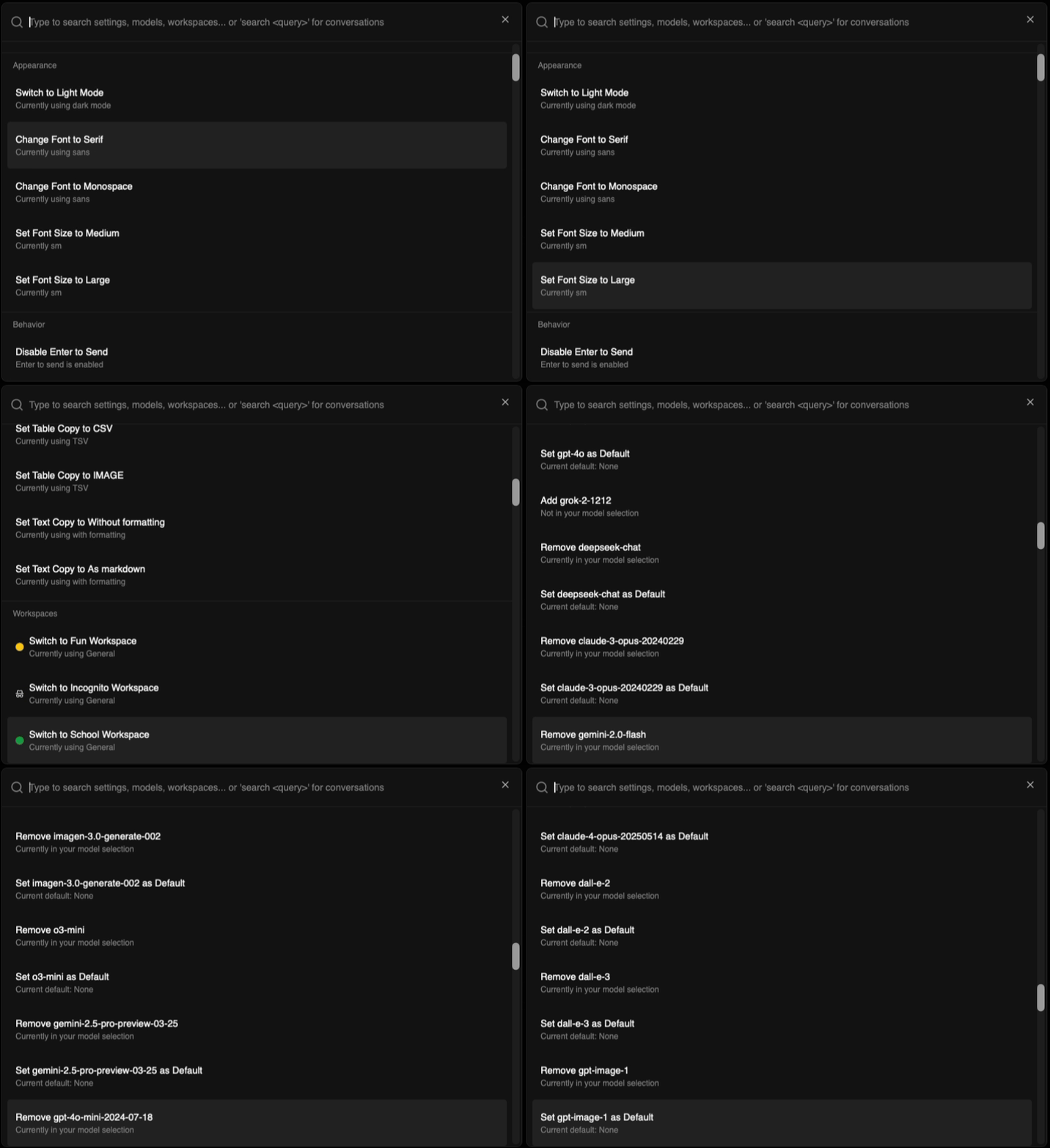
Quick Settings Access
- Instant settings control - access most settings directly from the command bar without navigating to the settings page
- Model management - add and configure AI models quickly through command bar shortcuts
- Workspace switching - seamlessly switch between workspaces using the command bar for faster workflow transitions
You can now search with the command bar
- Search - find past conversations instantly by searching through your chat history directly from the command bar, use command search followed by sentence or keyword you remember from the chat
Better User Experience
- Larger interface - increased command bar size for better visibility and easier interaction
Productivity Enhancements
- Reduced clicks - accomplish tasks that previously required multiple page navigations with simple command bar actions
- Context preservation - make changes and adjustments without losing your place in conversations or workflows
2025-10-01
Internet Search & Smart Model Selection
New Feature
Improvement
UI/UX
New Features
Internet Search Integration
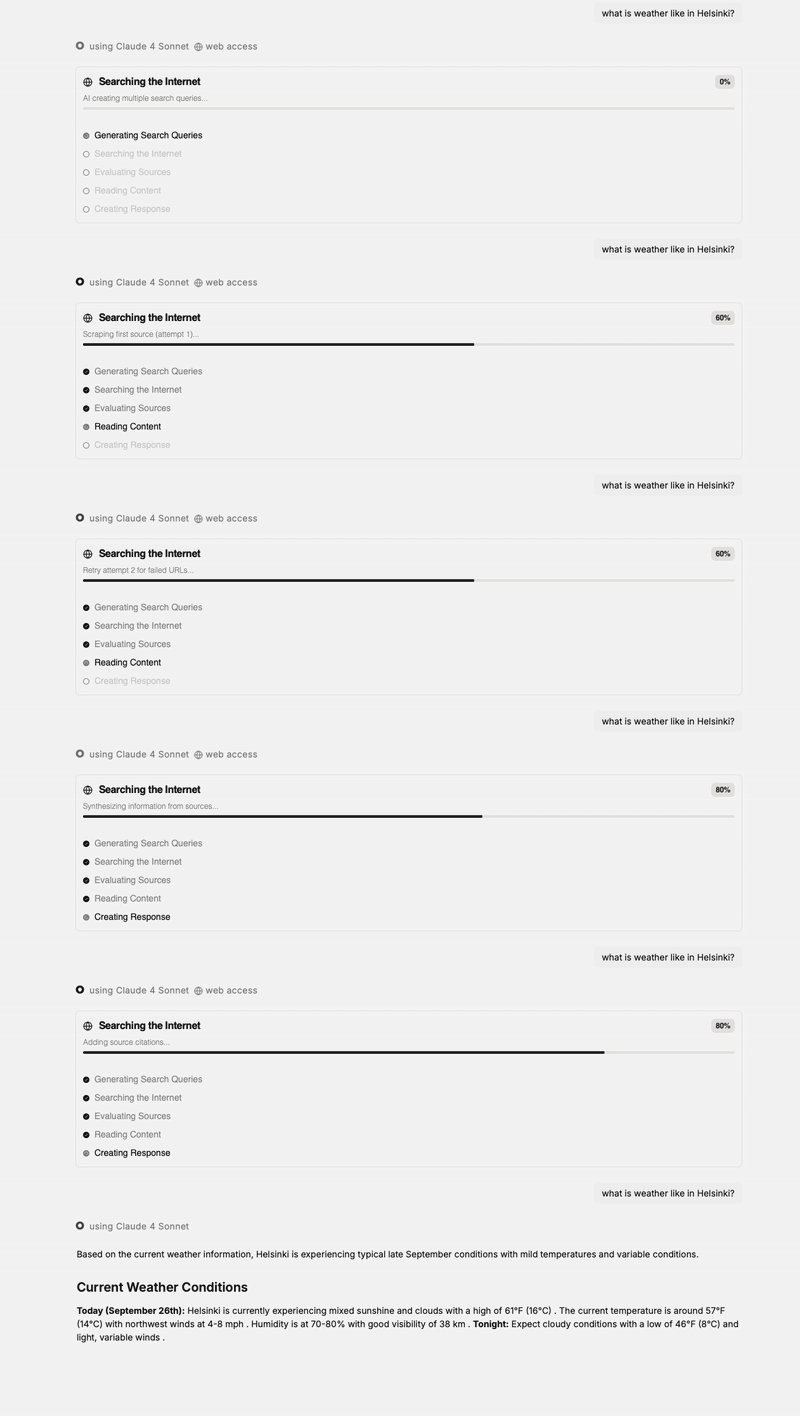
- Real-time internet search - Octofy can now search the web to provide up-to-date information and current data for your queries for all models, not only models with internet search capabilities.
- Smart automatic detection - when you ask about current events or recent information, the automatic system automatically uses models with internet capabilities (Sonar for now)
- Pro feature - internet search is available for Pro users
Flux models
- Flux model integration - added powerful new Flux models
- Aspect ratio control - customize image dimensions with flexible aspect ratio options
- Raw mode toggle - enable or disable raw mode for Ultra models, more photolike generation
Intelligent Model Selection
- Automatic model optimization - queries are now categorized as "easy" or "complex" to automatically select the most appropriate model, this way we can use a fast model for easy questions and a slower thinking model for complex questions
User Experience Improvements
Enhanced Error Handling
- Improved retry functionality - retry buttons now intelligently switch to alternative providers for better success rates
Content & Editing
- Better Word paste support - pasting content from Microsoft Word now works more reliably with proper formatting preservation
- Prompt hub reorganization - default prompts moved to the public prompt hub for better discoverability and sharing
- Light mode fixes - resolved display issues with the public prompt hub top bar in light mode
Notifications & Updates
- Changelog notifications - new popup system alerts users to updates they haven't seen, complete with image and GIF support
- Perplexity attribution - added proper creator attribution for Perplexity models
2025-09-29
Settings Page Redesign & Sonnet 4.5
Improvement
UI/UX
Fix
Major Improvements
Complete Settings Page Redesign
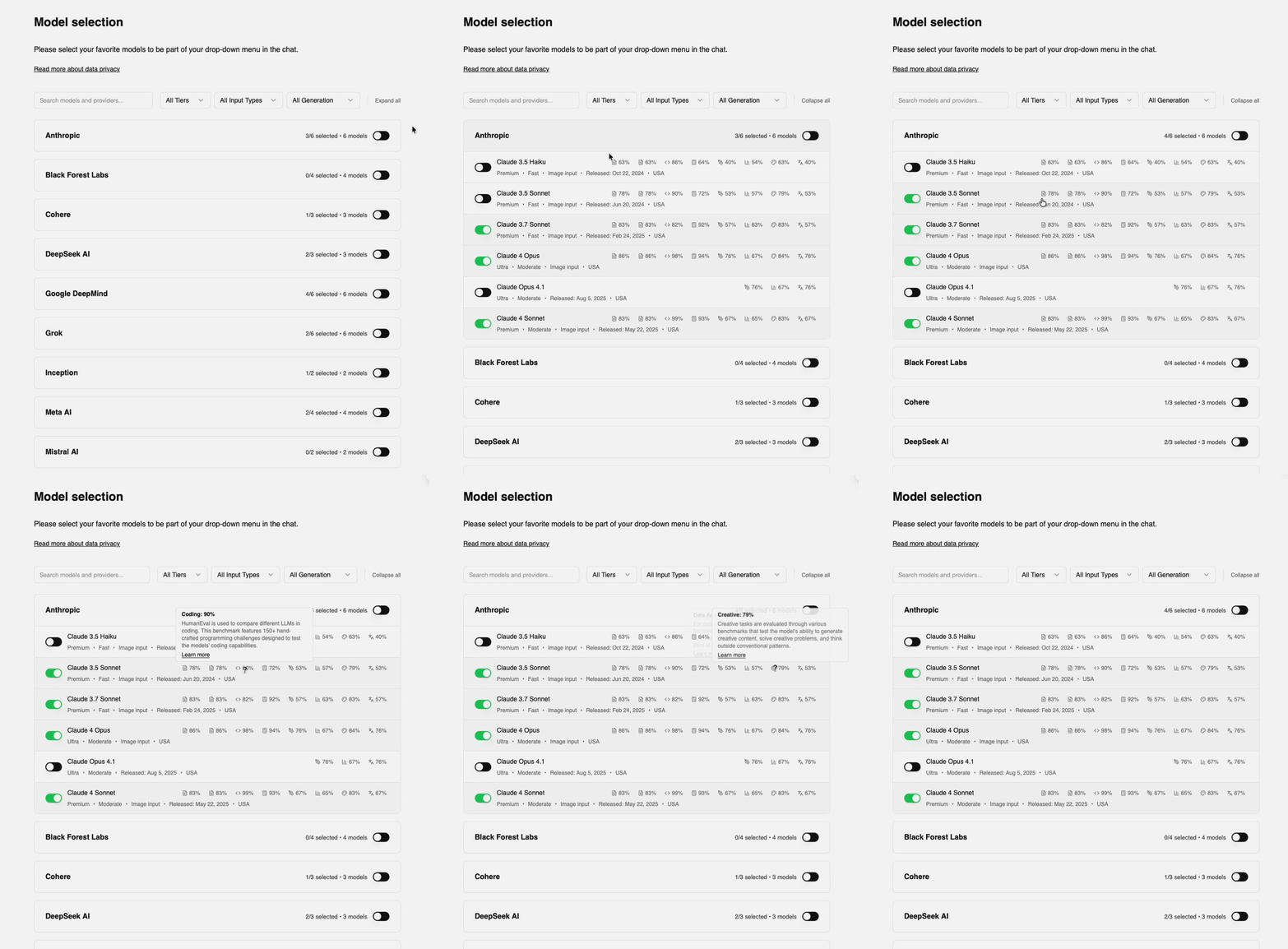
We've completely revamped the settings page with a focus on better organization, improved visual design, and enhanced user experience.
- Full revamp of settings page we have done a full refactor of the whole settings page, to better fit our quality and design standards
- Improved model selection instead of the table, we moved to a system that we think work better with collapsable panels for each provider.
- Separated API key management - extracted custom API keys into their own dedicated tab for better clarity
- Automatic saving - instead of the user having to press save each time, we now autosave
Added Claude Sonnet 4.5
- Claude Sonnet 4.5 model added
Fixes
Font
- Font rendering fix - resolved font display issues that were affecting text clarity in certain browsers
2025-09-26
Verification System, Enhanced UX & Enterprise Launch
New Feature
Improvement
UI/UX
Fix
New Features
Verification System
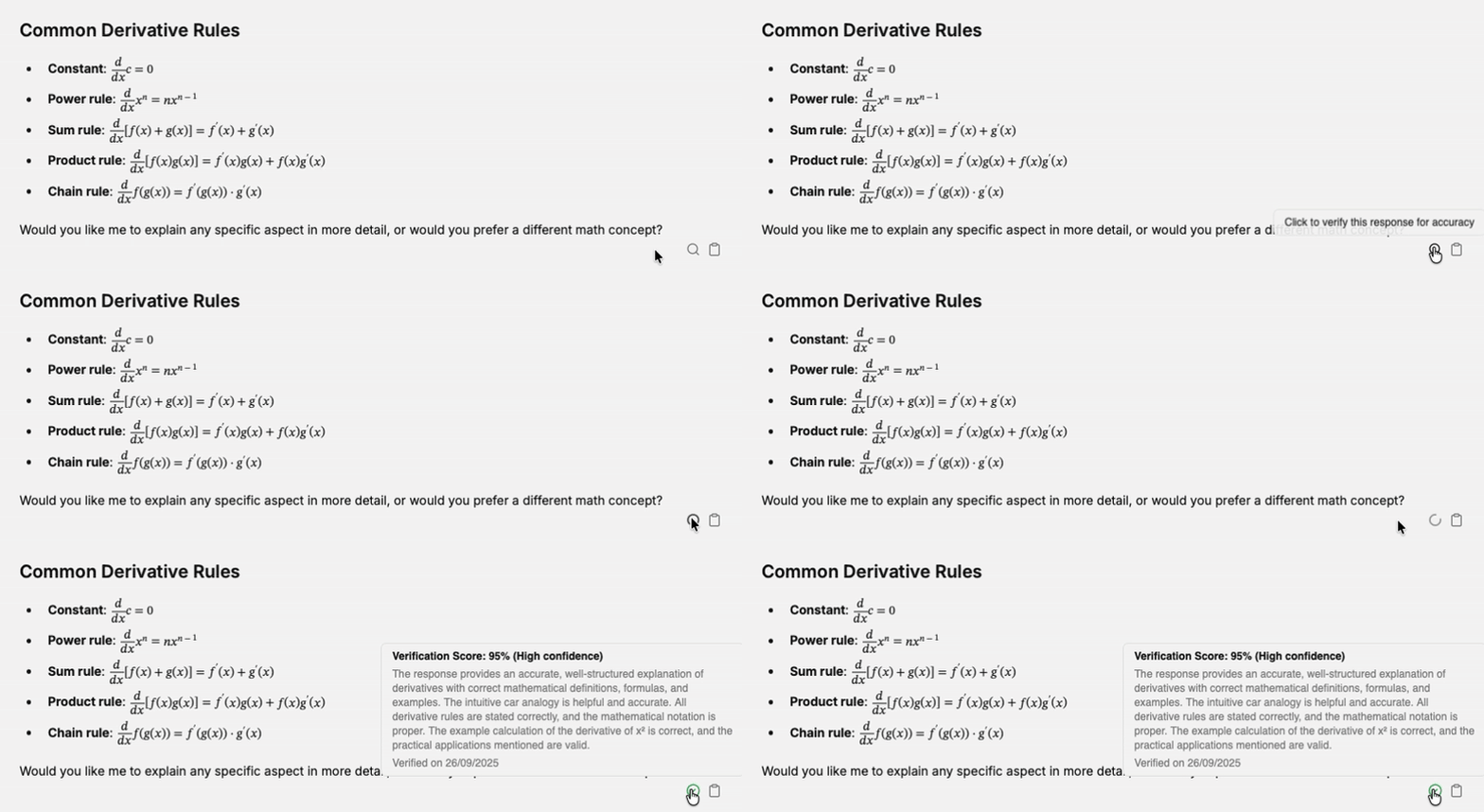
- Verification buttons for answers - users can now verify AI responses with a simple button click.
Enhanced Model Search
- Provider name search - the model dropdown now supports searching by provider name in addition to model name for easier model discovery.
Enterprise Solutions
- Enterprise page launch - new dedicated enterprise page added to the landing page showcasing sovereign/private server solution, if interested contact hi@octofy.ai
User Experience Improvements
Landing Page
- Landing page design - small refinements to improve overall user experience and visual appeal.
Onboarding & Upgrade Flow
- Enhanced onboarding modal - improved user experience when going through the initial setup process.
- Streamlined upgrade process - better handling and user flow when users choose to upgrade their plan.
Sidebar Navigation
- Smoother panel transitions - opening and closing the side panel now feels more fluid.
Fixes
Visual & Content Issues
- Fixed incorrect meta images - resolved issues with social media preview images not displaying correctly.
- Better error messaging - improved error messages with inline "retry with other provider" buttons when chat encounters issues.
- Focus mode buttons - added outline button style for focus mode to reduce visual distractions.
Image Upload Improvements
- 20MB image size limit - changed image size to 20MB for image uploads.
Website Updates
- Changelog integration - added better changelog design.
2025-09-01
Perplexity Models & Enhanced Error Handling
New Feature
Fix
UI/UX
New Features
AI Model Expansion
- Perplexity models integration - added by popular demand, expanding AI model options with Perplexity's powerful search-enabled models.
User Experience Improvements
Enhanced Error Handling
- Improved error messaging with clearer, more actionable error descriptions.
- Inline provider switching - when encountering errors in chat, users can now retry with alternative providers directly from error messages.
2025-08-30
Analytics & Sidebar Improvements
Improvement
Fix
UI/UX
User Experience Improvements
Prompt Vault Enhancements
- Improved command selection - added space after prompt vault command when selecting or pressing tab from dropdown for better text flow.
Sidebar Persistence
- Persistent sidebar state - open and close state now saved with cookies, maintaining user preference across page refreshes.
2025-08-29
Image Generation Animations & Public Prompt Hub
New Feature
UI/UX
Improvement
New Features
Enhanced Image Generation
- Cooler image generation animation providing better visual feedback during image creation.
Public Prompt Hub & Vault System
- Public prompt sharing - prompts can now be made public
- Enhanced prompt management with desktop and mobile bars for prompt vault navigation and improved card layout
Improvements
Fixes
Chat view & Model table
- Updated chat view texts with improved bottom text display.
- Model table improvements - uses "N/A" instead of "Loading..." to prevent customer confusion.
2025-08-28
Focus Mode & Enhanced Image Generation
New Feature
Fix
UI/UX
New Features
Focus Mode for Distraction-Free Writing
- Full-screen writing interface that hides all UI elements for pure focus.
- Easy activation - click the expand icon in the top-right corner of the chat input.
Improvements
Image Generation Enhancements
- Automatic model selection now includes image generation capability.
- gpt-image-1 integration as the default choice for automatic image generation.
Fixes
Prompt Vault Improvements
- Improved reliability in prompt retrieval and display.
Page 1 / 7